
Download PDF 995 – convert documents to PDF, PDF creator, free PDF tool, virtual printer, document conversion utility
Overview
PDF 995 is a lightweight, free utility designed for users seeking a straightforward method to convert printable documents into PDF format. Operating as a virtual printer, it integrates directly into the standard print workflow, allowing users to generate PDFs without relying on complex or expensive software. This approach eliminates the need for third-party conversion tools, streamlining the process into a single, intuitive step. The application is particularly useful for individuals and professionals who frequently need to share, archive, or submit documents in a universally compatible format.
Its primary function—converting any printable document into a PDF—addresses a common pain point in digital workflows, especially when dealing with files from word processors, spreadsheets, web pages, or design tools. By mimicking the traditional printing experience, PDF 995 reduces the learning curve and enhances accessibility for users of all technical levels. The tool is well-suited for students preparing assignments, remote workers sharing reports, and administrative staff managing digital records.
Developed by PDF 995, the application has been available since 2011, indicating a long-standing presence in the productivity software space. Although the developer did not provide additional technical details, the app’s continued use suggests reliability and consistent functionality. As part of the broader document management ecosystem, PDF 995 fills a niche for minimal, no-frills PDF creation—offering a secure, cost-free alternative to more feature-heavy tools.
Key Features & Functionality
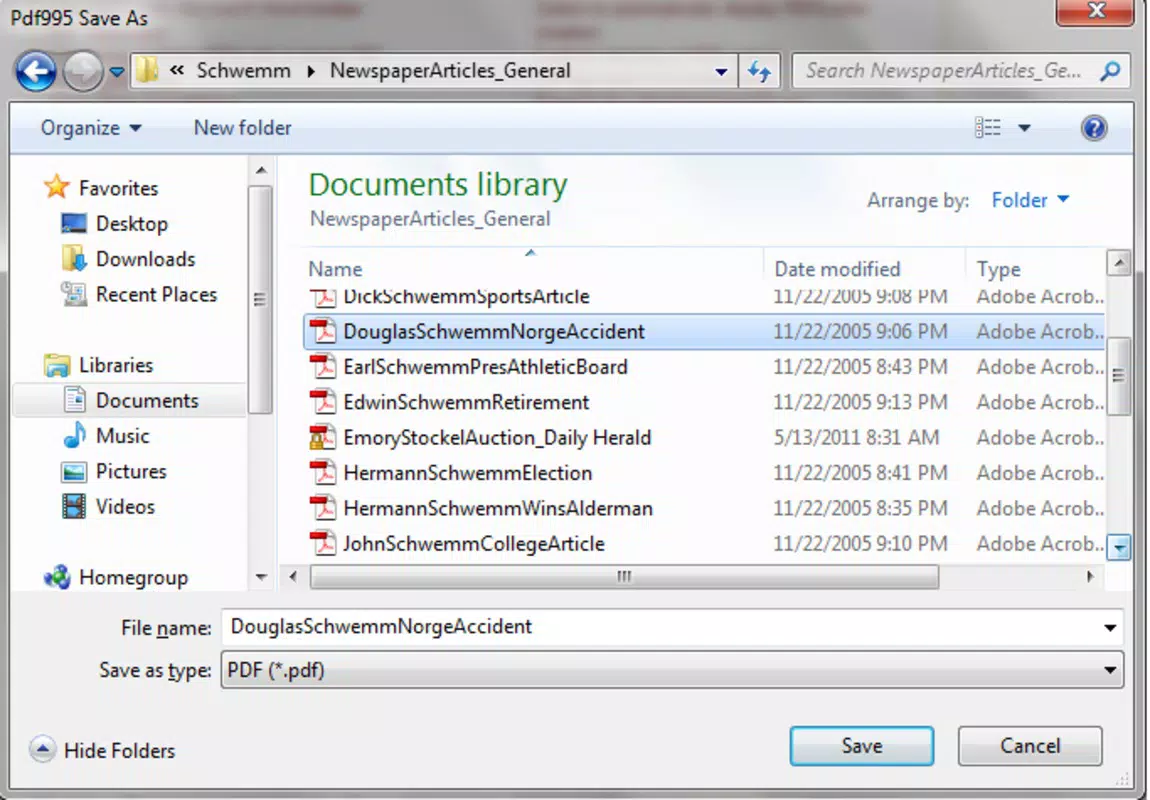
- Virtual Printer Integration: PDF 995 functions as a virtual printer within the operating system, allowing users to select it during the print process. This seamless integration enables instant conversion of any printable document into a PDF with no additional steps or software.
- User-Friendly Workflow: The interface is designed for simplicity, requiring minimal interaction. Users only need to choose PDF 995 as the printer destination and click “Print” to generate a PDF file, making it ideal for beginners and non-technical users.
- Free to Use: As a freeware application, PDF 995 offers full functionality without licensing fees. This makes it an accessible option for individuals, educators, and small organizations seeking cost-effective document conversion tools.
- High-Quality Output: The tool preserves the formatting, fonts, and visual fidelity of the original document, ensuring that the resulting PDF accurately reflects the source content—critical for professional submissions and legal documentation.
- Wide Document Compatibility: It supports virtually any printable file type, including Word documents, Excel spreadsheets, web pages, and images. This versatility ensures users can convert diverse content into a standardized PDF format.
For example, a student can convert a research paper from Microsoft Word into a PDF with just a few clicks before submitting it. Similarly, a business user can generate a PDF version of a presentation from a web browser, ensuring consistent formatting across devices. The tool’s efficiency and reliability make it a valuable asset in daily digital workflows.
Interface, UX & Performance
PDF 995 features a minimalistic interface focused on functionality rather than visual complexity. The design is clean and uncluttered, with a straightforward layout that prioritizes ease of use. Users are not overwhelmed by options, as the core functionality is accessible through a single print dialog selection.
Navigating the app is intuitive—once installed, it appears as a standard printer option in the system’s print menu. There is no need to open a separate application window or configure complex settings. This streamlined UX reduces friction and ensures that users can complete conversions quickly and efficiently.
Although the developer did not list formal performance metrics, the app’s small file size of 2.8 MB suggests it operates with minimal system resource usage. It is likely to run smoothly on older or low-end systems, making it accessible to a broad user base. Responsiveness is expected to be high, given its lightweight nature and direct integration with the print subsystem.
Stability appears to be a strength, supported by its long-standing presence in the software market since 2011. While real-world testing data was not provided, the app’s continued availability and use indicate consistent reliability across different Windows environments.
Platform Compatibility & Technical Requirements
PDF 995 is designed exclusively for the Windows operating system. The application is compatible with Windows platforms, though specific OS versions were not listed by the developer. The software has a file size of 2.8 MB, indicating it is lightweight and suitable for systems with limited storage capacity.
Although the developer did not specify minimum OS requirements, the app’s long history suggests it supports a wide range of Windows versions, including older releases. However, users should verify compatibility with their current system before installation.
As a desktop utility, PDF 995 is not available on mobile platforms such as Android or iOS. Therefore, it is intended for use on Windows-based computers and laptops. The application does not require administrative privileges for basic operation, though installation may require standard user permissions.
Pros and Cons
Pros
- Free to use with no hidden costs or subscriptions
- Simple, intuitive interface suitable for all skill levels
- Efficient document conversion via virtual printer integration
- High-quality PDF output preserving original formatting
- Supports a wide variety of printable document types
- Lightweight and fast, with minimal system impact
Cons
- Available only for Windows, not compatible with mobile devices
- No advanced editing or annotation features included
- Developer did not provide detailed technical specifications
- Limited to PDF creation—no conversion in the reverse direction
- No cloud integration or automatic backup options
FAQ
Is PDF 995 safe to download and install?
Yes, PDF 995 is a freeware application that has been available since 2011. It does not contain malware or intrusive ads. However, users should always download from official or trusted sources to ensure security.
Can I use PDF 995 on Android or iOS?
No, PDF 995 is designed exclusively for Windows operating systems and is not available for Android or iOS devices.
Does PDF 995 support batch conversion?
While the developer did not specify batch processing capabilities, the app functions through the print system, which may allow multiple documents to be converted sequentially using standard print workflows.
Is there a paid version or premium feature set?
PDF 995 is completely free to use with no paid upgrades or feature locks. All core functionality is available without cost.
How do I update PDF 995 to the latest version?
Users should visit the official website or trusted software repository to check for updates. The current version is 2.0, released in 2011, but the developer may have released newer versions since then.
Final Thoughts
PDF 995 stands out as a reliable, no-frills solution for users who need to convert documents into PDFs quickly and securely. Its virtual printer model offers a seamless experience that integrates naturally into existing workflows, eliminating the need for complex software. While it lacks advanced features like editing, cloud sync, or mobile support, its core purpose—creating high-quality PDFs—is executed with precision and efficiency.
For students, professionals, and anyone managing digital documents on Windows, PDF 995 delivers exceptional value. It is especially beneficial for those seeking a free, lightweight, and stable tool without the overhead of modern productivity suites. In a market filled with feature-heavy applications, PDF 995 proves that simplicity can be powerful.
Download PDF 995 now


